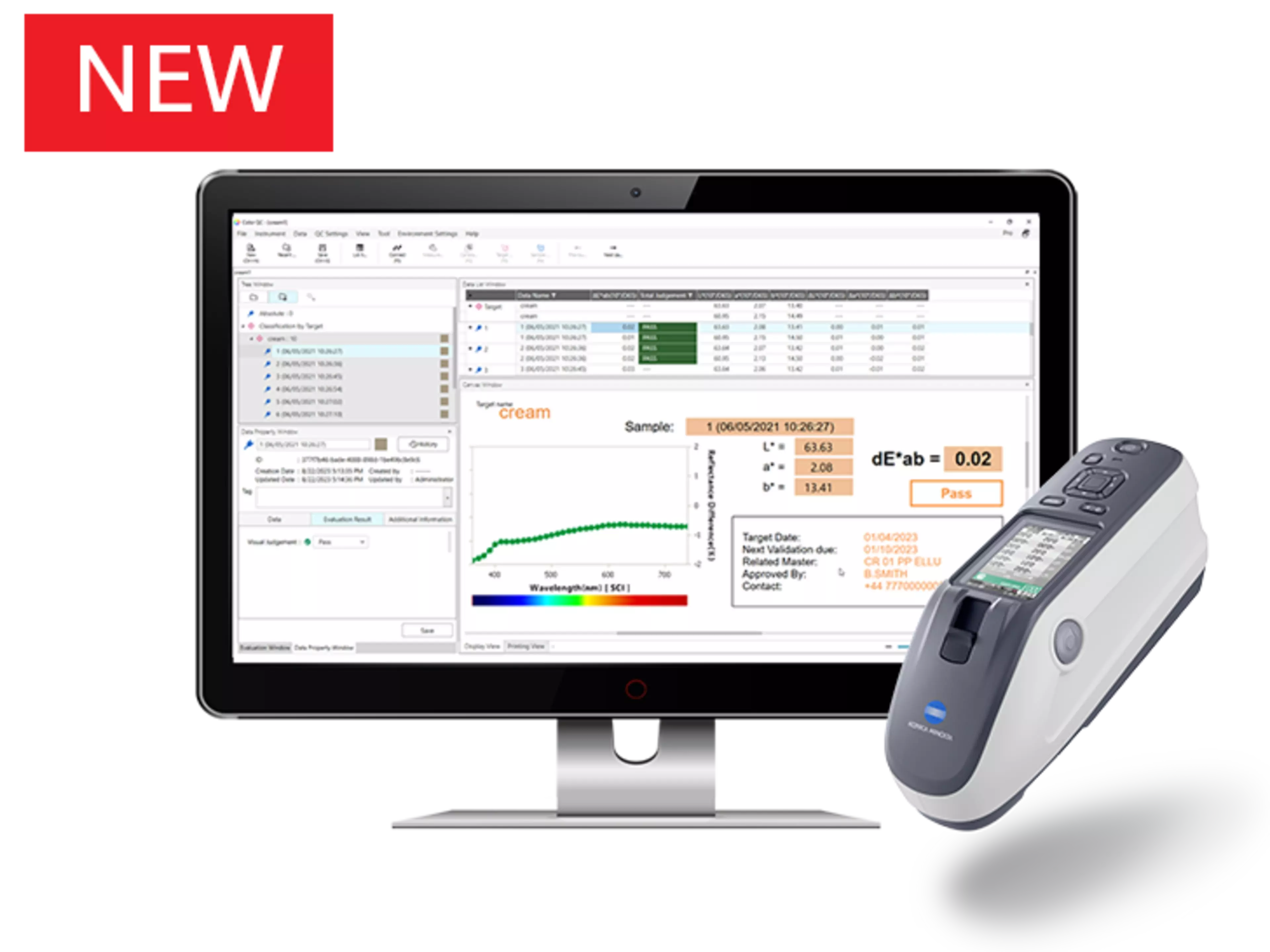
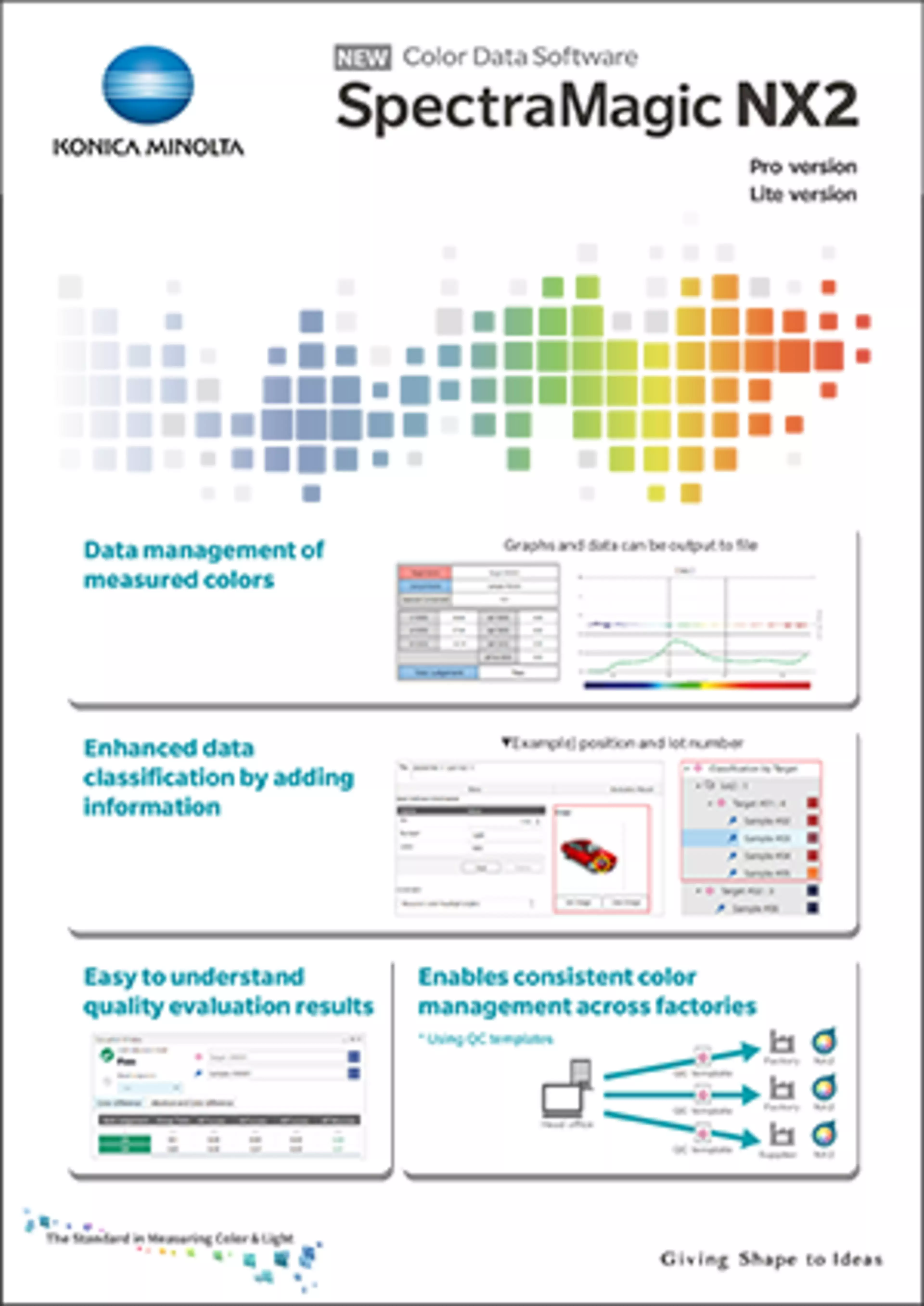
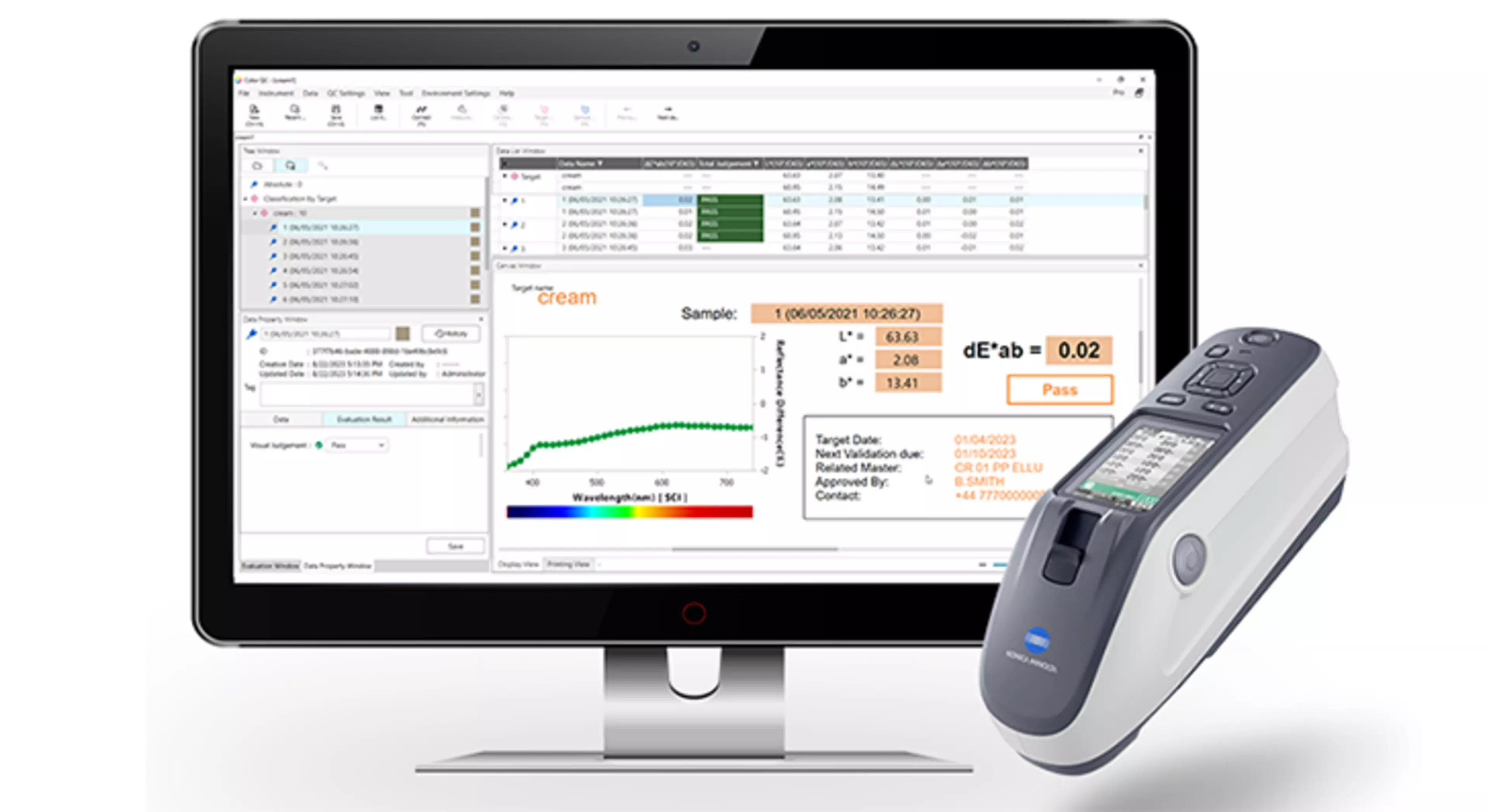
Next Generation Colour Data Software for QC colour and gloss measurement. Benefit from far greater reporting and customisation flexibility, management and control of data and time saving features like Job Mode, Instrument Check and QC Templates.
Measure colour data using Konica Minolta spectrophotometers and colour meters
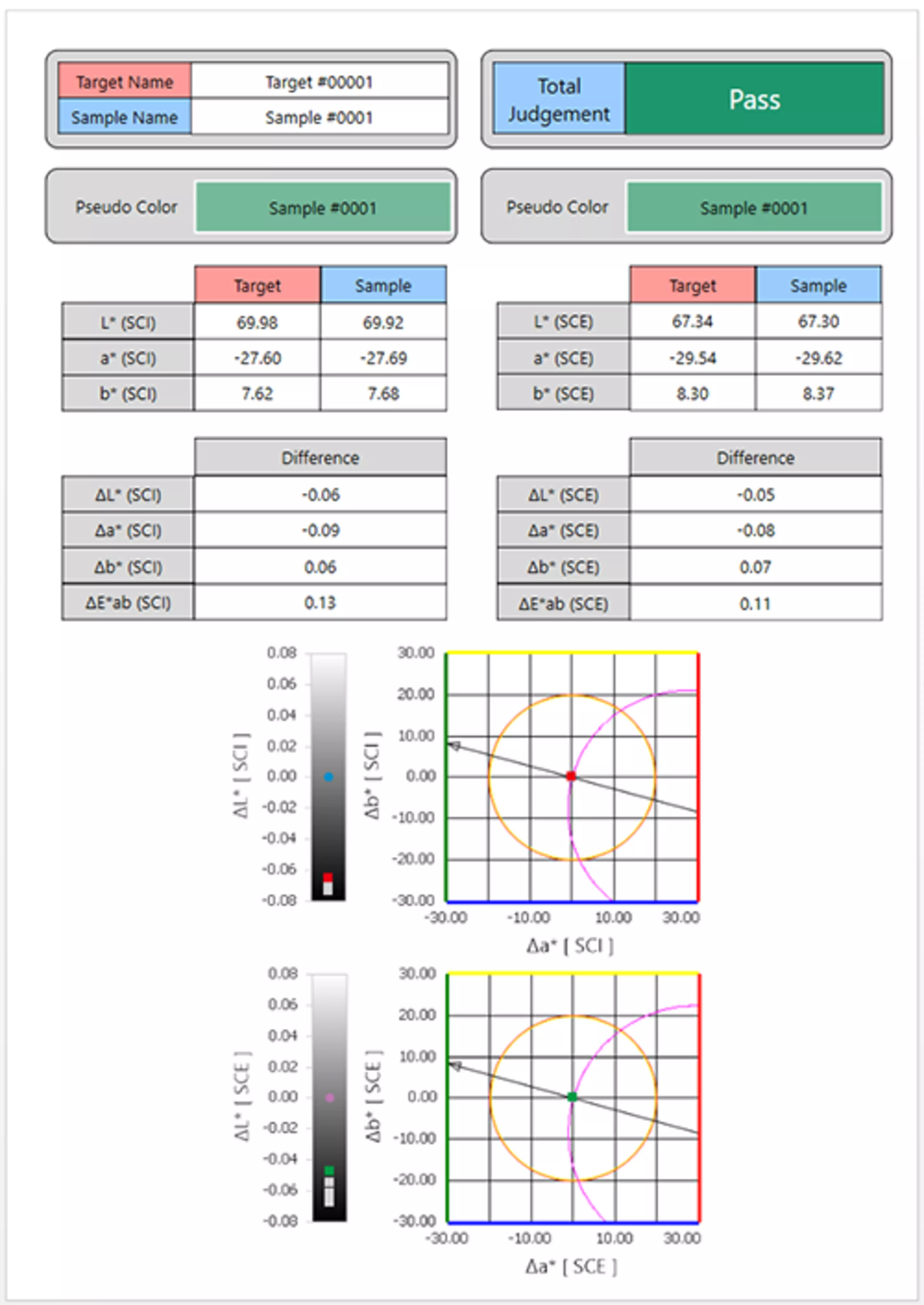
Compare measurements to digital colour standards, masters and brand colours
Import existing data and templates from SpectraMagic™ NX
Integrate operator visual judgement into reports and pass fail decisions
Utilise instrument sample viewers integrated to workflow
Cleaner, user friendly interface
Create custom measurement display and report templates to your needs
Colour measurement, analysis and reporting software suitable for virtually every industry.
SpectraMagic™NX2 has been developed to facilitate the measurement, analysis and communication of digital colour data.
Whether an expert user or infrequent operator, SpectraMagic™NX2 can deliver exactly the output to meet your needs. The display and interface can be customised to meet the business or user's requirements for a number of different roles in the colour supply chain:
Whether setting brand colours,
Establishing digital colour standards,
Inspecting colour of raw materials at goods-in,
Final colour QC,
Checking production between sites and much more besides.
SpectraMagic™ NX2 is also designed to include the operator's visual judgements into reports and analysis, because digital colour data should always link back to visual assessment.
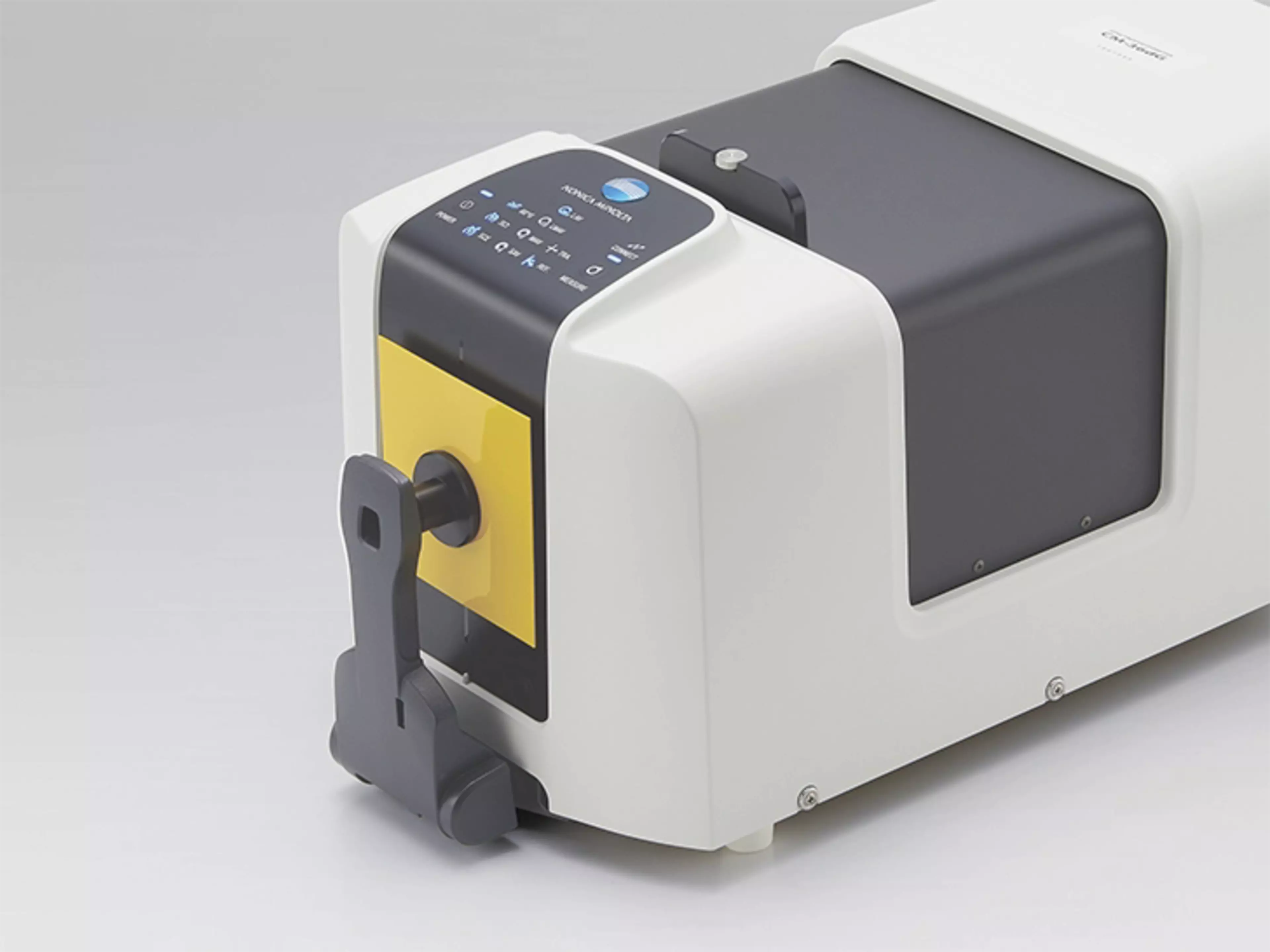
The software supports the innovative features of all current Konica Minolta spectrophotometers such as digital sample viewers and the integrated ISO 60 degree sensors of the CM-26dG, CM-25cG and CM-36dG & CM-36dGV.
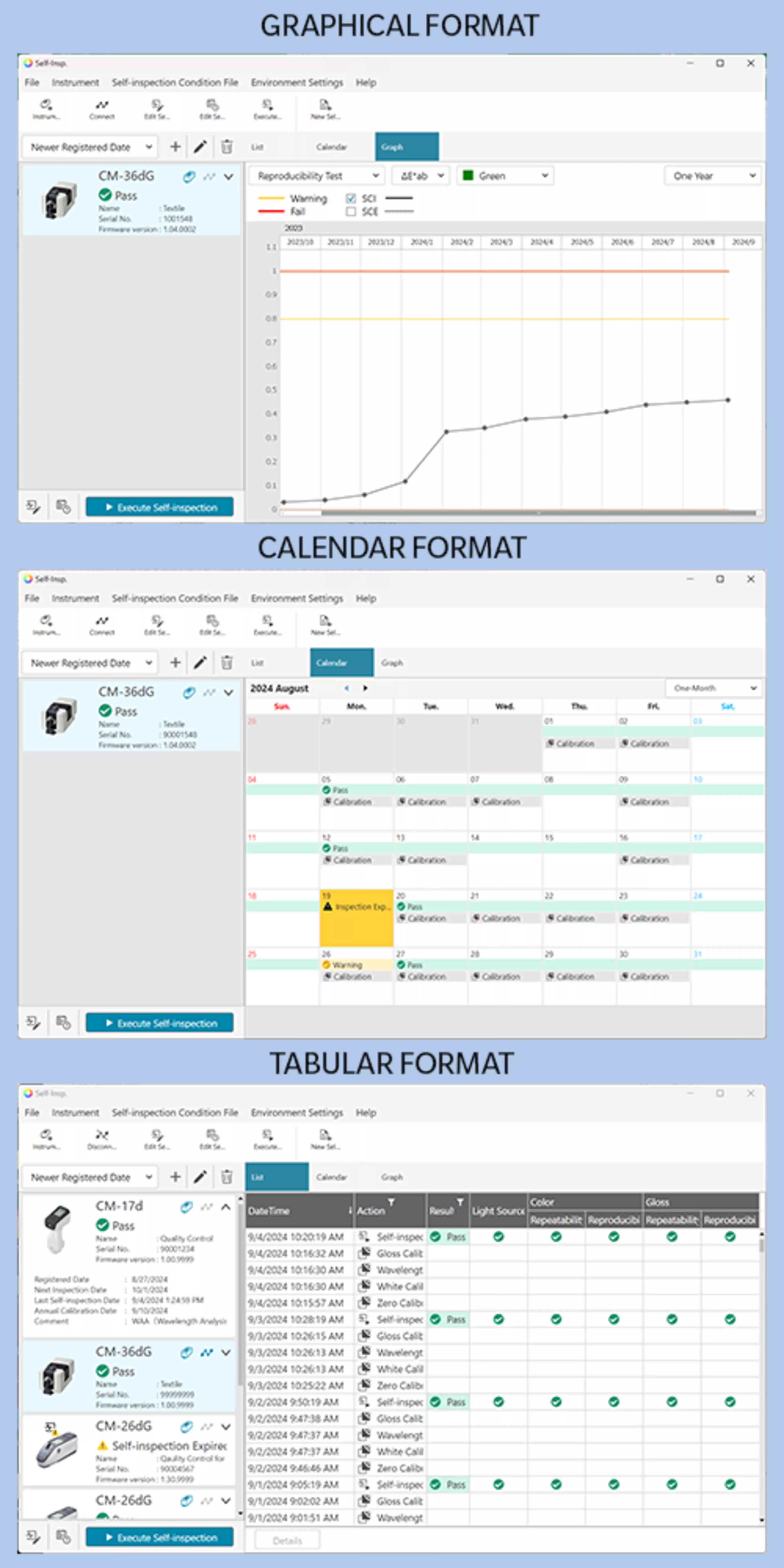
As of version 1.4 SpectraMagic™ NX2 contains an Instrument Check App which allows users to track the short to medium term repeatability, reproducibility and light source output for connected devices and link the results of these checks to colour data measured with that instrument. A compelling feature for organisations with tight controls on colour accuracy, to maximise traceability and certainty in between annual service intervals.
L*a*b*, L*C*h, Lab99, LCh99, Lab99o, LCh99o, Hunter Lab, and their colour differences; Munsell (C, D65)
Colour system colour space Pro only
XYZ, Yxy, u'v', u*v*, and their colour differences
Index Pro & Lite
MI; GU and difference (CM-25cG, CM-26dG, CM-36dG/CM-36dGV); Opacity (ISO 2471, TAPPI T425 89% white plate)[*2] CM-5/CR-5 only: Gardner, Iodine Colour Number, Hazen/APHA, European Pharmacopoeia, US Pharmacopeia
Index Pro only
WI (CIE1982, ASTM E313-73, Hunter, ASTM E313-98, BERGER, TAUBE, STENSBY, Ganz); YI (ASTM D1925-70, ASTM E313-73, ASTM E313-98, DIN 6167); B (ASTM E313-73); Tint (CIE 1982, ASTM E313-98, Ganz); Standard Depth (ISO 105.A06); Brightness (TAPPI T452, ISO 2470); Density (Status A, Status T); Dominant Wavelength; Excitation Purity; 555; RxRyRz; Grey Scale/Grey Scale Rating (ISO 105.A05); K/S Strength (Apparent, (ΔE*ab, ΔL*, ΔC*, ΔH*, Δa*, Δb*, Maximum absorption, Total wavelength, User wavelength); Strength; Pseudo strength; Staining degree/degree grade (ISO 105.A04E); NC#; NC#Grade; Ns; Ns Grade; Signal colour index; 8° gloss(for simultaneous SCI/SCE measurements only); FF(CM-M6); User equation; Haze (ASTM D1003-97)[*2] , Blackness(My) (ISO18314-3/DIN55979), Jetness(Mc) (ISO18314-3), and Undertone(dM) (ISO18314-3) and their differences
Colour difference formula Pro & Lite
ΔE*ab (CIE1976); ΔE00 (CIE DE2000) and each component of lightness; saturation and hue; ΔE99(DIN99), ΔE(Hunter); ΔE*94 (CIE 1994) and each component of lightness; saturation and hue; CMC and each component of lightness; saturation and hue; ΔE99o and each component of lightness; saturation and hue
Colour difference formula Pro only
ΔE*94 (Special)[*3] and each component of lightness; saturation and hue; ΔEc(degree)(DIN 6175); ΔEp(degree)(DIN 6175); FMC-2; NBS 100; NBS 200; Audi2000
Number of files that can be opened simultaneously: 10 Number of data that can be stored in a file: 10,000 (total of target data and measurement data)
Supported file formats
NX2 (.mesx2, .mtpx2), NX (.mtp, .mes, .mea; reading only*7); Other (.csv (output only), .cxf); SpectraMagic DX files (.mesx) need to be converted to .mes with a conversion tool NX2 QC template *.qctp (PRO: create/edit/save, LITE: read only)
Display languages
Japanese, English, German, French, Spanish, Italian, Portuguese, Chinese (Simplified and Traditional), Turkish, Russian, Polish, Korean
Minimum Computing Requirements[*8]
OS: Windows® 11 Pro
CPU: Intel® Core i5 2.7GHz or higher processor (recommended)
Memory: 2GB or more (4GB or more recommended)
Storage: 10GB or more
USB port: Required for connection with measuring instrument, Required for SpectraMagic™ NX2 dongle
Connection to external network: Required for activation
*1: Not available in some countries.
*2: For opacity (ISO 2471, TAPPI T425 89% white plate) and haze (ASTM D1003-97) measurements, software measurement procedure and calculations follow the corresponding standard. Whether the geometric requirements of the corresponding standard are met depends on the instrument used.
*3: When comparing two colours, please use ΔE*94(Special) if you do not want to set one as the standard.
*4: Canvas window can show up to 10 tabs (Pro edition)/2 tabs (Lite edition). However, when a file with more than 2 tabs created in Pro edition is used in Lite edition, all tabs can be viewed but only the first 2 tabs can be edited.
*5: Requires optional accessories.
*6 Available only when using CM-17d/16d Ver.1.20 or later, CM-26dG/26d/25d Ver.1.50 or later, CM-25cG Ver.1.40 or later and CM-M6 Ver.1.20 or later.
*7 The file version that can be loaded is ver.2.00.0000 or later.
*8 The hardware of the computer system must meet or exceed the greater of the recommended system requirements for the compatible OS being used or the above specifications.
*9 Instruments with new firmware versions only. Instruments with old firmware versions may not be supported. Click here for firmware versions of compatible instruments.
NB:
Specifications are subject to change without prior notice.
Company names and product names herein are trademarks or registered trademarks of their respective companies.
If you have any questions about specifications, please contact your Konica Minolta representative.
• Windows® is a trademark or registered trademark of Microsoft Corporation in the USA and other countries.
• Intel® is a trademark or registered trademark of Intel Corporation in the USA and other countries.
• KONICA MINOLTA, the Konica Minolta logo and symbol mark, "Giving Shape to Ideas" and SpectraMagic are registered trademarks or trademarks of KONICA MINOLTA, INC.
• The specifications given here are subject to change without prior notice.
• Displays shown are for illustration purposes only.
• Bluetooth® is a registered trademark of Bluetooth SIG, Inc. and is used under license agreement.
CPU : Intel® Core i5 2.7GHz or higher processor (recommended)
Memory : 2GB or more (4GB or more recommended)
Storage : 10GB or more
USB port : Required for connection with measuring instrument, Required for SpectraMagic™ NX2 dongle
*1: The functions that can be displayed, set, and executed differ depending on the connected instrument.
*2: The file that can be input/output differs depending on the connected instrument.
*3: The hardware of the computer system must meet or exceed the greater of the recommended system requirements for the compatible OS being used or the above specifications.
*4: Available only when using CM-17d/16d, CM-26dG/26d/25d/23d, CM-25cG, CM-M6 or CM-5/CR-5.
*5: Available only when using CM-17d/16d, CM-26dG/26d/25d/23d or CM-25cG.
*6: Available only when using CM-17d/16d, CM-26dG/26d/25d/23d, CM-25cG or CM-5/CR-5 and only with SpectraMagic NX2 license.
*7: Available only when using CM-17d/16d, CM-26dG/26d/25d/23d, CM-25cG or CM-M6.
*8: WLAN settings possible when optional WLAN/Bluetooth® Module is installed.
*9: Not available in all countries.
*10: Instruments with new firmware versions only. Instruments with old firmware versions may not be supported.
Specifications are subject to change without prior notice.
Company names and product names herein are trademarks or registered trademarks of their respective companies.
If you have any questions about specifications, please contact your Konica Minolta representative.
• Windows® is a trademark or registered trademark of Microsoft Corporation in the USA and other countries.
• Intel® is a trademark or registered trademark of Intel Corporation in the USA and other countries.
• KONICA MINOLTA, the Konica Minolta logo and symbol mark, "Giving Shape to Ideas" and SpectraMagic are registered trademarks or trademarks of KONICA MINOLTA, INC.
• The specifications given here are subject to change without prior notice.
• Displays shown are for illustration purposes only.
• Bluetooth® is a registered trademark of Bluetooth SIG, Inc. and is used under license agreement.
[Measurement] Checking of instruments condition [Data] Exporting results of check to instruments [Graphs] Check results shown on trend graphs, lists, and calendar [Others] Saving/printing of check report
External I/O
Importing/exporting of data files in original format Exporting report files in PDF format
Display Languages
Japanese, English, German, French, Spanish, Italian, Portuguese, Chinese (Simplified and Traditional), Turkish, Russian, Polish, Korean
*1: Instruments with new firmware versions only. Instruments with old firmware versions may not be supported. Firmware version of compatible instruments conform to Color QC App.
*2: Not available in all countries.
*3: Items available depend on the instrument model.
(Gloss) items available only for CM-36dG, CM-36dGV, CM-26dG, and CM-25cG.
NB:
Specifications are subject to change without prior notice.
Company names and product names herein are trademarks or registered trademarks of their respective companies.
If you have any questions about specifications, please contact your Konica Minolta representative.
• Windows® is a trademark or registered trademark of Microsoft Corporation in the USA and other countries.
• Intel® is a trademark or registered trademark of Intel Corporation in the USA and other countries.
• KONICA MINOLTA, the Konica Minolta logo and symbol mark, "Giving Shape to Ideas" and SpectraMagic are registered trademarks or trademarks of KONICA MINOLTA, INC.
• The specifications given here are subject to change without prior notice.
• Displays shown are for illustration purposes only.
• Bluetooth® is a registered trademark of Bluetooth SIG, Inc. and is used under license agreement.
Features
QC Template Function
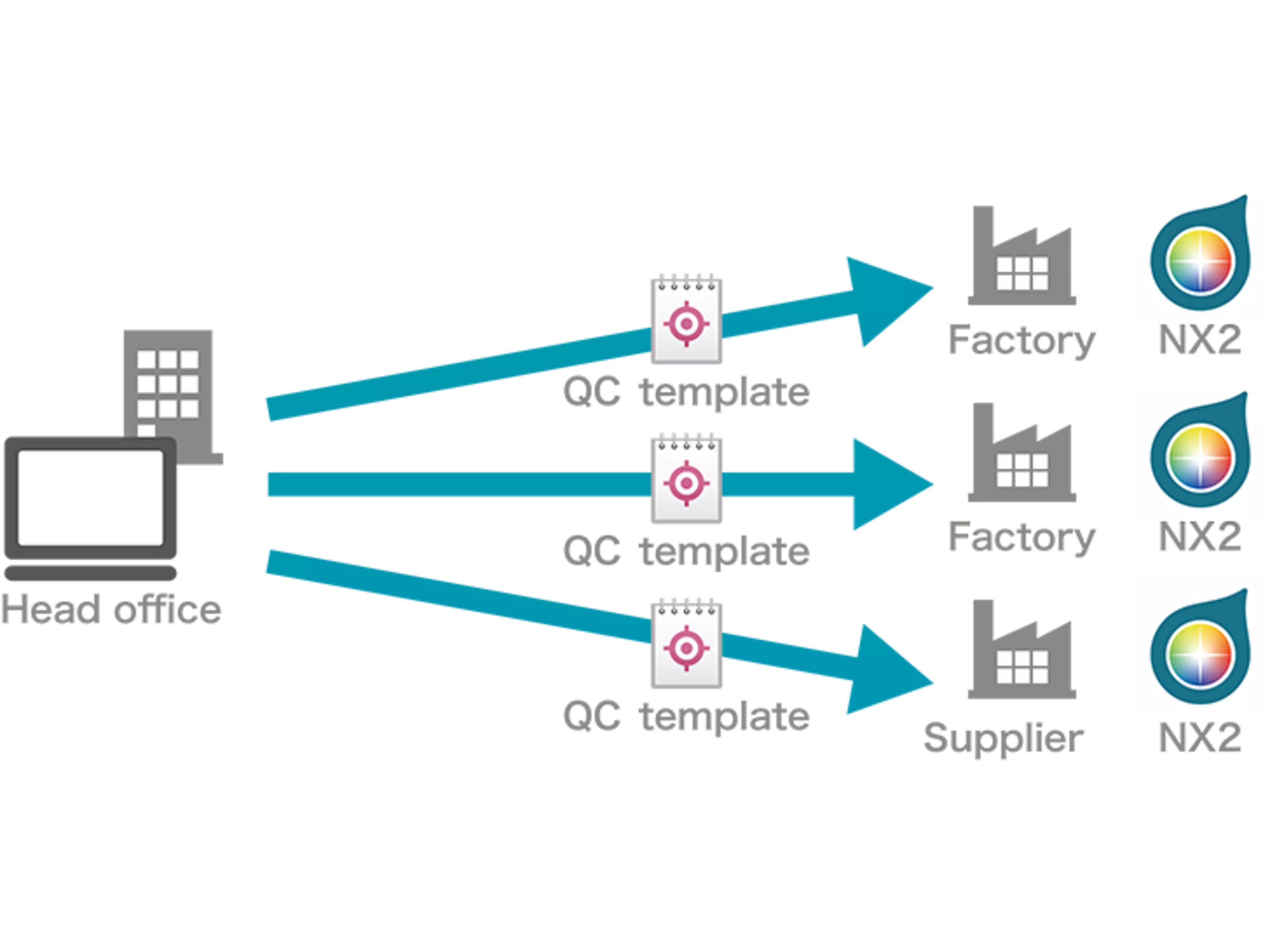
SpectraMagic™ NX2 includes a brand new QC template function, whereby a brand owner or administrator is able to communicate not only the target colour but also the condition, instrument, reporting for that colour in a single file. This can greatly reduce the risk during the colour communication process, ensuring that all parties are measuring and assessing colour in the same way.
User Friendly
Instrument specific graphical instructions are displayed for routine tasks such as white calibration or changes to measurement mode to minimise the risk of operator error.
User Management
Establish roles and permissions so that administrators can block or allow access to some functions and to allow additional layers of reporting on an operator level.
Target Management
Greatly developed Target system for master targets, working targets and the ability to switch and reassign accidentally measured samples to targets and visa versa.
Data Tagging
Configure and assign data tags to simplify reporting and search workflows.
Custom Illuminants
Measure custom illuminants for colour data, and colour difference under environment or effect lighting.
Job Mode
Further simplify routine measurements or complex measurement workflows using job mode to provide specific onscreen or on device instructions for the specified task.
Instrument Check Function
The Instrument check App supports organisations meeting the most stringent tolerances and reporting requirements. Recording and reporting a series of tests at regular intervals allows the operator to understand any fluctuations in the device performance and reduce the risk of undetected instrument damage or optical shift having a larger commercial impact. The Instrument Check App is used in combination with the manufacturer's recommended scheduled maintenance and traceable calibration.
The software checks for:
Repeatability: Evaluates the short-term repeatability by using the white calibration plate and the gloss plate. It shows changes in the variability of measurement data.
Reproducibility: Evaluates colour differences by remeasuring a reference sample. Allows monitoring of long-term variations in measurement data.
Light source output: Evaluates the amount of variation in light source light intensity from the shipment of the instrument (or from the completion of calibration service).
Results from the Instrument Check app are linked to the Colour Data in the QC App, providing additional certainty and traceability where colour data is communicated and shared among partners. Easy to read PDF reports are also generated automatically by the app.
Often times when disagreements occur it is useful to quickly exclude the possibility of instrument error. Combining the new check system with the QC template function can greatly assist project or brand owners in controlling processes and eliminating user error.
It is recommended to use the system in combination with a green ceramic tile or even a full tile set similar to those utilised at manufacturer calibration.
Technical Support Team
Our team, your contact
Konica Minolta's Technical Support Team are available to help customers to get the most from the SpectraMagic™ NX2 software. Whether troubleshooting connection issues, helping implement NX2's new features or ensuring a smooth transition from NX to NX2.